 It may be wintery and cold where you are, but you can dream of a tropical island getaway! The newest Shapegram features a picture of a desert island. The sand is drawn with the Curve tool and the tree is drawn with moon, trapezoid, and oval shapes. For just seven shapes, the island SHORE looks good!  Level = Growing Green
⬜️🟩⬜️⬜️⬜️ The Google Slides template includes two helpful animations showing how to draw the sand and the tree. The Island Zipper should take most students about 15 minutes to complete. WATER you waiting for? Give this to your students! Curve Tool The land in the Island Zipper is drawn with the Curve tool. You can access it under the Line tool in the top toolbar in Google Slides. Use it to draw shapes with rounded edges. Each time you click with the Curve tool, it leaves an anchor point. Anchor points are connected with curved lines. 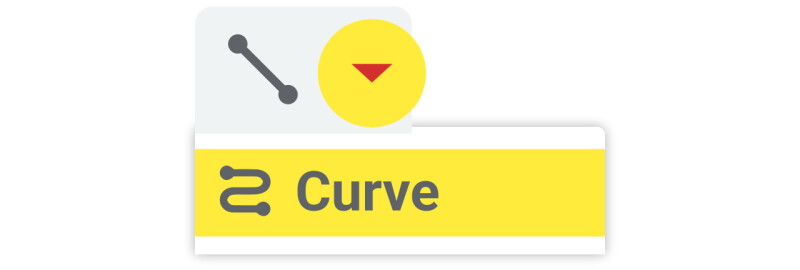 The Curve tool finishes the shape if you click the first anchor, place two anchors close together, or double-click the mouse. Double-click a shape you've drawn with the Curve tool to see the anchor points (which are purple dots). You can drag the dots to move the anchors, changing how the shape looks.  It takes practice to draw with the Curve tool, but it's a key way for digital artists to create organic shapes. The Curve tool is introduced in the Fireplace Lesson and reinforced in other lessons: Dr. King Silhouette, Groundhog, Octopus and Pufferfish, Globe, and Animal Stickers. Classy Vibes I want to share an online workshop I’m leading called Classy Vibing with AI. It’s a four-week experience that begins February 18, 2026, and it’s designed for teachers who want to create simple, single-purpose apps using AI. No coding experience needed. You bring the idea and describe the “vibe” of your app, then collaborate with tools like Gemini, ChatGPT, Canva AI, or Claude to turn that idea into something real. I’ve been vibe coding with AI for a couple of years now, and I love how it lets me bring ideas to life. You can check out some of what I’ve made in Tony’s App Lab. There’s also a fun and surprising connection to Shapegrams. When you save images from Google Slides or Google Drawings as SVG files, you’re actually saving code. In Classy Vibing, we explore how that SVG code can be pasted into an AI chatbot and reused as logos, illustrations, or even animated graphics. While Classy Vibing is built for teachers, everything you learn can be brought back to your students. Imagine empowering them to turn what they’re learning into interactive websites and games. Register by January 30 and save $20. Read more about Classy Vibing with AI, and feel free to reply to this email with questions. I’d absolutely love to have you as a classmate!  🏝️ SEA you later,
Tony P.S. How do you know if an island is rich? It has lots of sand-banks! 😜 |