Brrr , we had a snow day on Monday! School was cancelled and Tuesday was a late delay. It was so warm last week here in Kansas! THANK YOU to all of you who signed in last week. Of course signing in is not actually mandatory but I do reply! The passcode is still 2024 Sign In: Let Me Make you an AI Something I had so many of you sign in last week I decided to try out making you something. So I coded to create a Google Doc to append to my reply. I was playing around with using ChatGPT to see what it would suggest. Of course I add my own prompts in and argue with it a little bit. Here is the folder of documents if you want to check them out. I'm going to try it again!! When you sign in be as specific as possible about what topic or goal you have (grade level and objective) so I can attempt to coherse something useable out of ChatGPT or Google Gemini. For funsies! 
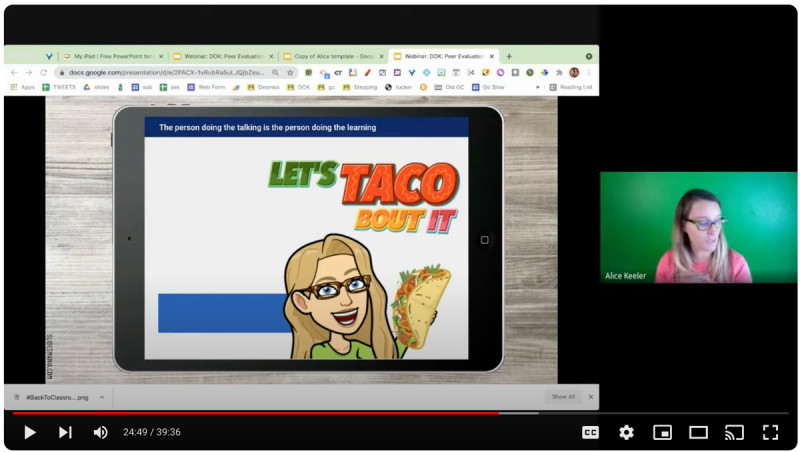
DOK - Depth of KnowledgeI am really passionate about critical thinking. Sadly, most of the math textbook is a) boring with made up numbers and b) low critical thinking. As a math teacher I would try to sing and dance and make games to create "chocolate covered broccoli." It wasn't until I learned about DOK and that I need to CHANGE THE QUESTION that things really started to change. I have several resources on the membership site on DOK and on the old site. alicekeelermembership.com Try out this webinar recording on DOK for peer evaluation.
Gamified Warm-Ups WorkshopI'm working on a "hangman" game that builds a snowman. Sign up for the Gamified Warm-Ups (included in premium membership, please as always do not share premium resources) 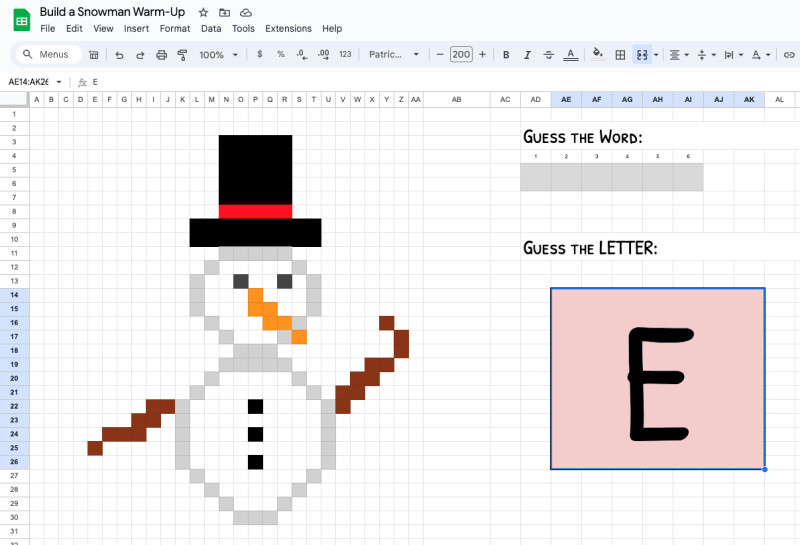
Some Tech Tips for the Week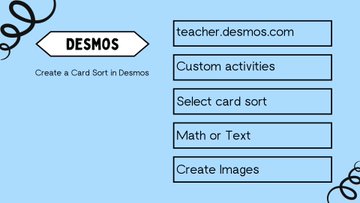
💡"Card Sort" in Desmos is a great activity to find out what students know, are confused about and what they still need to learn.☑️ The teacher will create cards that will be "matched". Definitions-"text", images, math and graphing. Assign to students. 🚦 All subjects get a "green light" for CARD SORT!
🎨Customize Confirmation Message In Google FormsAlice Video Tutorial 
🏁 Start with typing forms.new📌Google Forms SettingsGoogle Forms has ditched the settings cog and instead has replaced it with a Settings tab. Take some time to explore the new options in Google Forms settings. 
❇️Presentation OptionIn the Settings look for the Presentation option. 🖊️Edit the Confirmation MessageThe default confirmation message in Google Forms is “Your response has been recorded.” Boring. Click on “Edit” to leave your own message. 
🎯Direct Students with What to do Next⏭️What will students do after they finished filling out the Form? 🗣️Tell them in the confirmation message. 
❓How often do we get asked “When you will you have this graded?” 🙋Answer this or other commonly asked questions in the confirmation message to avoid students needing to ask some of these questions. 👍 Use this as an opportunity to ENCOURAGE students.
| 