Hi ! It is TWOsday! 2/22/22... very exciting :) I have created a Google Jamboard with 2's! See if you can use add/sub/mult/div and parenthesis to make the target number. Don't worry it's fun and easy! Sign up for FREE! 5 Creative Ways to use Google Slides. March 3rd! 
Be part of one of the largest elementary math competitions:
The SpringBoard Math Challenge 2022 Sponsored content from SplashLearn March 1st - May 8th, 2022 It is always a challenge to find something that caters to the needs of all the students in the class. The answer to this challenge – is a ‘challenge’. SplashLearn has been organizing the SpringBoard Math competition annually since 2015 for schools around the US. Over the years, it has emerged as one of the most eagerly anticipated activities in schools across the country. The SpringBoard Math Challenge gives teachers and schools the opportunity to engage their elementary school students and help them prepare for the end of the school year assessments. The 10-week challenge will allow students to master their math skills and enter the new class with confidence, whilst having fun. Participation in the competition is free for all K-5 teachers and schools. Why should your class participate in the SpringBoard Math Challenge? - Get the entire class together and make math a team sport for your class
- Compete with classes around the US - last year 35,000 classes participated!
- Exciting prizes worth $20,000 are up for grabs
Teachers can enroll their classes for SpringBoard 2022 by creating a free teacher account on SplashLearn. Once enrolled, students will earn points for every math problem they solve and this will also count towards the total class score. The best performing classes with the highest points will win weekly prizes at the state and national levels.The grand winners will be announced at the end of SpringBoard. Prizes worth $20,000 are up for grabs this year. The registration for the competition is already open. Teachers can sign up for the SpringBoard Math Challenge 2022 by visiting this page. SIGN UP HERE
See why other teachers love SpringBoard, watch this video: 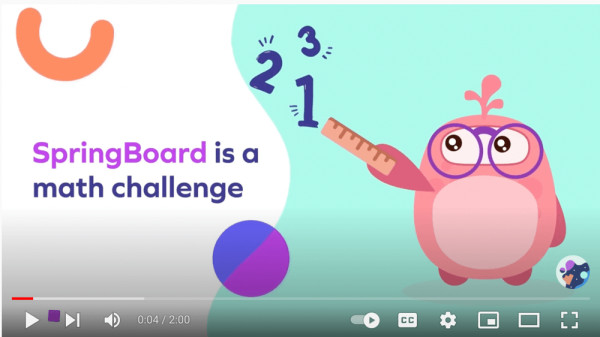
Social handles or profile links: · Twitter - @SplashLearn · Instagram - @splashlearn · Facebook - @splashlearnofficial
COMING SOON! Speaker Notes by Schoolytics I am in Peru this week to teach teachers. My Spanish is.... mediocre at best. (I have changed my Google account to Spanish to help me get better.) I have put what I want to say in the speaker notes of my Google Slides but then they are trapped in the speaker notes! I have coded the ability to export the Speaker Notes to a Google Doc. Unlike Slides, Docs natively will translate a document to Spanish. I can then copy paste this into my teleprompter app. Whether you need your speaker notes in a Google Doc to print, use as a handout, or convert the language I have you covered! The phase 1 authorization was approved this morning. I am expecting the final authorization to be hopefully today. Install AliceKeeler & Schoolytics Add-ons Here Note that NONE of my Add-ons collect user data.
alicekeeler.com Blog Posts - February 21, 2022: 5 Chrome Bookmark Tips
- February 20, 2022: 7 Ways to Get Fancy in Google Slides Speaker Notes
- February 18, 2022: How To Turn On Caps Lock on a Chromebook
- February 14, 2022: How to Set Up Canned Responses in Gmail
- February 13, 2022: En Español - Add a Date to Google Slides
- February 11, 2022: Live from TCEA - Sharing the Learning
- February 8, 2022: How to Fix Hyperlinking Woes in Google Slides
- February 7, 2022: How To Participate in an Instagram Live
- February 6, 2022: The Case For Belonging with @Hedreich
- February 5, 2022: How To Get the Google Classroom Class Code
- February 4, 2022: 3 Tips for Google Jamboard
- February 1, 2022: 10+ Must Have Add-ons for Google Classroom Teachers
- January 30, 2022: 4 Steps to Design Your Own Google Slides Theme
- January 28, 2022: Send Custom Feedback from a Google Form to a Google Doc Report
- January 25, 2022: Choice Board: Tutorial Slides
- January 21, 2022: How to Delete the Shared With Me Folder in Google Drive
- January 18, 2022: Turn Your Docs into Forms and Slides
- January 17, 2022: Canva Jamboard Background
| 