Hi , How's your week going🦩? I have been 😷sick for a few days now and I have been trying to rest, which is hard for me. Sometimes I play 🎮video games to "pass the 🕧time", such as Minecraft, World of Warcraft and others on my phone. When you 🖊️sign in tell me what 🎲games you and your students like? Consider gamifying a lesson this week, such as using Gamified Choice Boards. 🎟 The new passcode is 2024 PLEASE SIGN IN! I respond ☀️ What Is Up This Week-
🖊️SIGN IN with the passcode 2024
-
📅 Be added to the events calendar for the week. (do this every week!)
- 🔺 Premium Add-on: Forms to Slides by Alice Keeler
👉👉👉Have students fill out the Google Form and their answer goes to Google Slides for discussion. Forms to Slides Tutorial 4.💧🆕Drip Workshop-One Lesson Per Week (online course) Go Slow for the Holidays #2 5..☑️Check alicekeelermembership.com with passcode 2024 for resources & events. 6.⏺️ Webinar Recording with Alice: Creating A Discussion Sheet 7.⏺️ Webinar Recording with Alice: Tim Teaches Alice Geogebra Part 1
8.✅ Check out: Totally Unscripted Season 5 Episode 1 with Alice Keeler 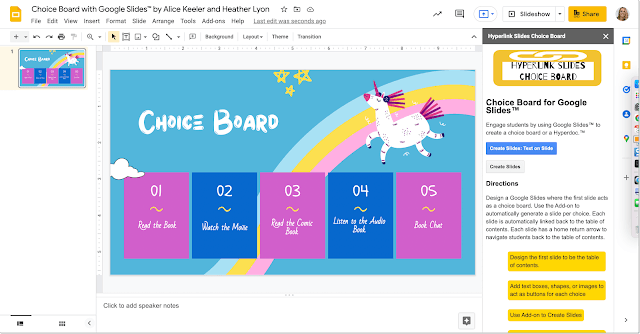
As a premium member you have access to the premium features to my Add-ons at alicekeeler.com/codedbyalice with the passcode 2024. One of them is Hyperlink Slides Choice Board! Install Hyperlink Slides Choice Board and access the premium features
🌟Premium Events This Week✴️ Office Hours with Marcia MENTORS: Monday January 22 4-4:30pm PST Join with Google Meet
 FREE!🆓 Make Bingo🎯 Boards in Google Sheets FREE!🆓 Make Bingo🎯 Boards in Google Sheets
Install Bingo by Alice Keeler 📗Have fun with a Bingo Ice🧊 Breaker! 📕Try out this free Add-on by Alice Keeler to create a fun activity to get students or participants up out of their seats and getting to know each other. Copy of Sample Bingo 
 5️⃣Google Docs➕ Add-ons for Teachers👨🏽🏫 5️⃣Google Docs➕ Add-ons for Teachers👨🏽🏫
1. 🔷Stickity🐬Add stickers to Google Docs with Stickity. A fun way to add feedback. 🌶️Spice up your directions documents. Install Stickity for Docs

2. 🔶Word Cloud🌦️🌩️One of the best Google Docs Add-ons for teachers is “Word Cloud for Docs.” 📖Students can create a word cloud of their writing to show a visual of their keywords. Install Word Cloud for Docs 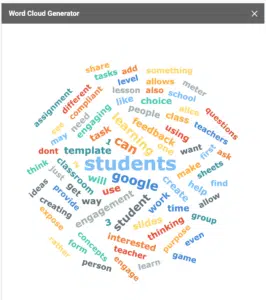
3. 💠Helperbird🐦📚Read, understand and navigate the web easier. Giving you features to make Google Docs™ & Google Slides™ more accessible. Including Immersive reader & dyslexia support Install Helperbird 4.🦄 Automagical Forms🔢Former 🧮math teacher John McGowan created Automagical Forms to turn your Google Doc into a Google Form. Go to Google Drive and choose the Automagical unicorn icon in the side menu. Select your Google Doc or PDF to turn into a Google Form. Install Automagical Forms

5. 📓Barcode and QR Code Generator✅Being able to add QR codes easily to posters and handouts is a must for teachers. “Barcode and QR Code Generator” Add-on makes it easy to add QR codes to your Google Docs. Install Barcode and QR Code Generator 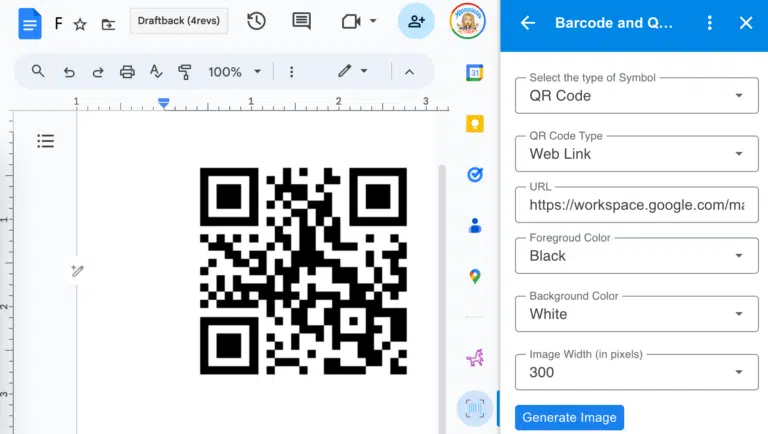
Recent Blog Posts
- January 16, 2024: What Is Wrong with This AI Lesson Plan?
- January 15, 2024: Honoring Martin Luther King Jr.: The Journey Towards Equity in Education Continues
- January 11, 2024: Join Alice Keeler, Google Developer Expert, on the New Season of Totally Unscripted
- January 8, 2024: Can Schools Offer Work Life Balance?
- January 2, 2024: Official Pixel Art Add-on for Google Sheets
- December 30, 2023: Transforming Classrooms: Teaching with Google
- December 22, 2023: 10 Google Docs Add-ons for Teachers
- December 19, 2023: 10 Hidden FigJam Whiteboard Gems
- December 13, 2023: Multiple Forms to One Google Sheet
- December 13, 2023: Creating Random Google Forms Quiz Versions
- December 12, 2023: Bye Bye Jamboard
- December 9, 2023: 5 Easy Steps for Teaching with Digital Tools
| 