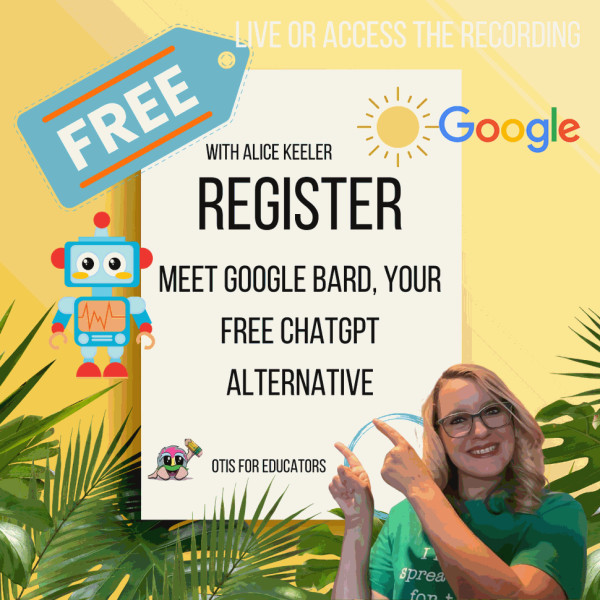
Hi , 😊I started my new job this week teaching 7th grade math. We don't have students yet, but I have been meeting teachers and planning lessons with my math team. 🔢 🔥Today, Thursday August 10th I am presenting a FREE webinar on Google Bard via OTIS for Educators. Sign up for a free OTIS account to participate. 12:30-1:30pm PST Create an OTIS account
🎟 The passcode is hialice but you may still need alpaca for some premium addons.
PLEASE SIGN IN! I respond ☀️ What Is Up This Week-
🖊️SIGN IN with the passcode hialice
-
📅 Be added to the events calendar for the week. (do this every week!)
- 🔺 Premium Features Add-on: Parent Contact Log
- 💧 Drip Workshop: 6 Ways for Students to Use Google Sheets (online course)
5..☑️Check alicekeelermembership.com with passcode hialice for resources & events. 6.⏺️ Webinar Recording with Alice: Adding a Collaborative Document to Google Classroom 7.⏺️ Webinar Recording with Alice: Google Forms: All Google Quizzes in One Google Sheets 8.✅ Top 10 Spreadsheet Activities  Customize Your Google Classroom Header Customize Your Google Classroom Header
💙Consider using Canva to create a fun and engaging Google Classroom Header 
🟣Here's my new Google Classroom Header for this year. 
 Create an Attendance/Check-in Question Create an Attendance/Check-in Question
Check in Video Tutorial 👉Every day I add a question to Google Classroom asking students to indicate their attendance. ✅ I ask non content related questions just to get students to engage and to get started without the fear of not knowing the answer. 
❓Create Question🟣 Google Classroom is designed to be organized on the Classwork tab. Click on “Classwork” at the top and use the “Create” button to choose “Question.” 
🔠 Choose Multiple ChoiceThe default when you ask a question in Google Classroom is a “Short answer” response. Click on the tiny arrow next to “Short answer” to switch to Multiple Choice. 
🆘 “What are we doing today?”In the Instructions include any important announcements or messages. I create a single Google Slides which I add to the question each day. Same Google Slides. I add a new slide at the top each day with what we are doing that day. The reason for this is the Slides can be updated easily and embedded on my class website, AND added to the attendance question, AND easily emailed to anyone who is not in my class who wants to know what the assignments are. Only one thing to update. However, even though I have my slides I still include those things I want students to pay attention to or remember in the description of the attendance question. 🕧 Schedule It💤Sometimes I can not sleep and I’m up at 2am doing my lesson plans for the day. At least one of my students always notices and wants to know what I was doing up at 2am. 🟢Posting the attendance question pushes an alert to student phones and sends them an email. I try to schedule the attendance question for 10 minutes before school starts. 
⬇️Click on the tiny arrow next to the “Ask” to schedule the time you want your attendance question to go out. Note that you can NOT schedule a post to more than one class at a time. After scheduling your attendance question go to each period you teach and “Reuse Post” to grab the scheduled attendance question from 1st period and schedule it for a different time. ♻️Reuse PostI ask the same question every day for attendance. So instead of retyping the multiple choice options I use “Reuse post” on the Classwork page. 

![image]() Alice Keeler: Mom of 5. High School math teacher. Founder #coffeeEDU. Google Certified Innovator. Microsoft Innovative Educator. Google Developer Expert. EdTech Specialist. Alice Keeler: Mom of 5. High School math teacher. Founder #coffeeEDU. Google Certified Innovator. Microsoft Innovative Educator. Google Developer Expert. EdTech Specialist.
MY REFERRAL LINKSSticker Mule: $10 Credit BirdSend Newsletter 3 Months Premium Mote
©2023 Teacher Tech | Theme by SuperbThemes
| 
