Hi , 🍎Teaching 7th grade Math has been going good and challenging me to be more creative. 🎨 Be added to this weeks events. 🇪I am really focusing on 👁️🗨️ ENGAGEMENT! How can I get students to run🏃 to my class, excited to learn? 👍I like to use the 5E Lesson Plan approach, which begins with ENGAGE. ⚒️Build curiosity! Consider a "juicy" essential question that relates to student's lives and possibly pop culture. Ask the students who is popular in the 🎶music or 📹YouTube world and try to incorporate that into your lessons! ✅When you sign-in let me know how you are engaging your students each day? Let me share some strategies, tools and templates with you. Let's brainstorm together.
🎟 The passcode is hialice but you may still need alpaca for some premium addons.
PLEASE SIGN IN! I respond ☀️ What Is Up This Week-
🖊️SIGN IN with the passcode hialice
-
📅 Be added to the events calendar for the week. (do this every week!)
- 🔺 Premium Member Suggested Feature: Install Add-on Quick Crop
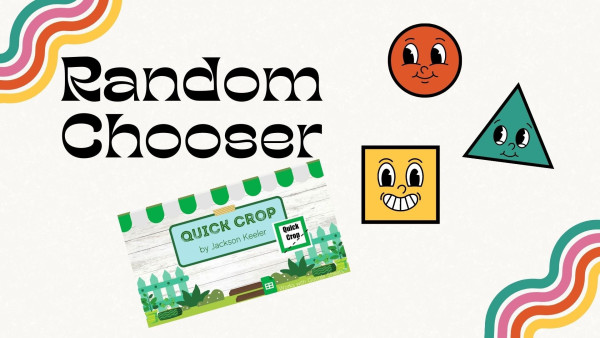
👉I made a name randomizer requested by a Premium Member, which is attached to the add-on Quick Crop. ⌨️Type names in every other line on a spreadsheet, select the add-on Quick Crop, ✔️select "randomize value" and a random name will be displayed, with a spinning wheel! FUN!!!🎈
4.💧 Drip Workshop-One Lesson Per Week (online course) Google Classroom Tips n Tricks #1 5..☑️Check alicekeelermembership.com with passcode hialice for resources & events. 6.⏺️ Webinar Recording with Alice: Creating Google Forms FAST 7.⏺️ Webinar Recording with Alice:Setting Up Filters for Gmail-Managing Google Classroom Emails-- Presentation Slides 8.✅ Check out: Top Back to School Resources
Join "The Office Hour and Webinar" this week via the Google Meet links. ⏰ Office Hours with Alice: Saturday 8/26/23 3-3:30PM PST ⏰ Office Hours with Marcia MENTORS: Monday 8/28/23 4-4:30PM PST 💻 Webinar with Marcia MENTORS: Top 10 Spreadsheet Templates 👉👉👉Tuesday 8/29/23 4-4:30PM PST  Collaborative Google Slides Collaborative Google Slides
Video:Setting Up Collaborative Google Slides 🟢Start your lesson hearing from all students. Use Collaborative Google Slides. 1️⃣ Make your Google Slides! type: slides.new 2️⃣ Set the slides to EDIT. 3️⃣ Go to the version history to NAME THE CURRENT VERSION to TEMPLATE!. 🆘This way you can easily roll it back if the slides get messed up.🆘
❓❓Have ALL students answer a question, prompt, share an idea-visually!

 🔢📏5 E's Lesson Plan Template for Math 🔢📏5 E's Lesson Plan Template for Math
🟣Try Out the 5 E’s Lesson Plan--For All Subjects!👉The 5 E’s lesson plan template is relatively new, did not exist when I was in my teacher prep program (or at least to my knowledge.) 🔎It was specifically designed for math and science but is a great outline for any subject area. I previously blogged on this 5 E’s Lesson Plan – Explain Comes Third. - Link Copy of Lesson Plan Template
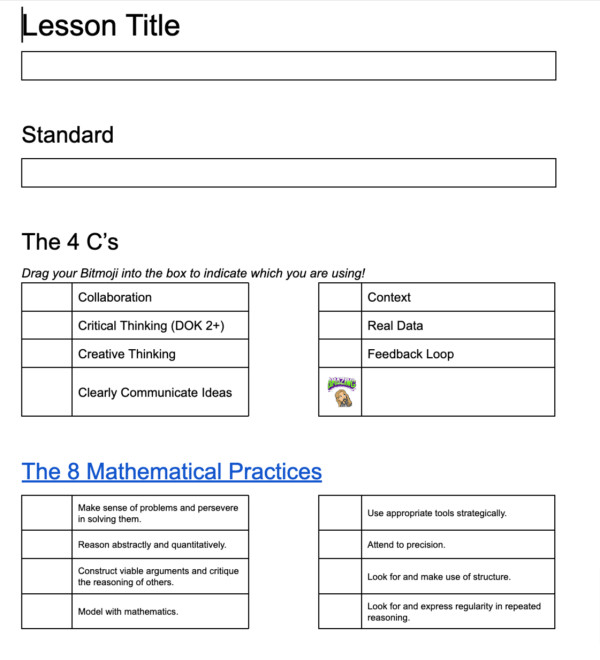
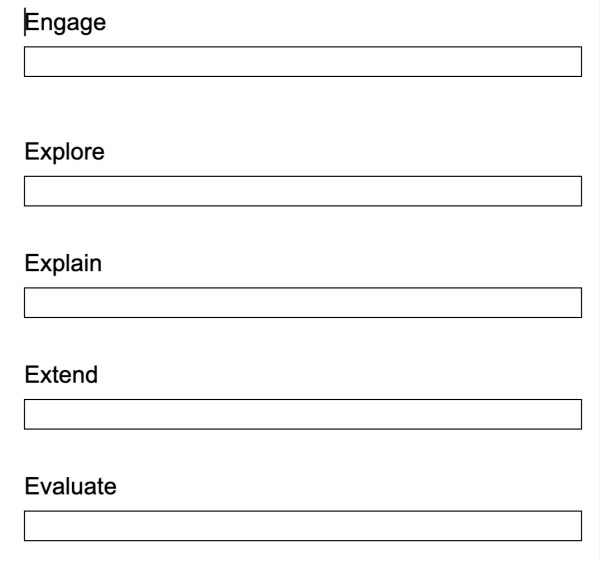
🔥The 5 E’S🎮 Engage: How do we hook student interest into the lesson? 🔬Explore: Have students explore and discuss mathematical ideas. 💬Explain: What needs to be explained? Explain comes third after students have developed some concepts and ideas about the math. Again we want to resist the urge to do the thinking for the students. 💻Extend: Independent practice is essential. How will students expand and practice on the ideas they worked on. ⁉️ Evaluate: Friendly reminder that evaluation does not have to be a test or a quiz. There are many ways for you to assess that a student has learned the concepts.
5E's Math Lesson Plan Full Blog
| 