Hello , I am back from Alaska... but I'm doing a keynote in Canada tomorrow. I got a new Add-on approved. See below for my tip on Notice Wonder activities!
👉👉 Check In - Alice Responds Passcode is Holidays
 New-bee New-beeReal World Connections with Google Earth
earth.google.com
🍿For Fun: Take a Tour of Alcatraz Island 🔍Search: Alcatraz Main Jail and 14 cool images appear ✈️Students can create their own projects, where they saved special places to visit. 

 Friday Night Relief Friday Night Relief3 Features of Google Keep You Are Not Using📱Google Keep is digital post-it notes. However, since it is Google it can do so much more. Since it is a Google product you can access it on your phone or any browser. 👉Start by going to keep.google.com and creating a reminder note. Simply log in with your Google Account. ✅You can also quickly make a note for yourself at keep.new. 📘It is a note taking app but so much more. 🚘When I’m a passenger in a car and I have some ideas I want to get down, Google Keep is the fastest way to accomplish that. Install Google Keep Android Install Google Keep iOS 1. Search by Color🟣Color coding your notes not only makes them more attractive, you can search by color. 
2. Make Use of Hashtags📗Labels are like folders. You can organize your notes by color but you can also organize them by label. #️⃣Adding a hashtag to your note automatically brings up a dropdown menu to make this hashtag into a label or to select a label you have already made. 
3. Extract Image Text🖼️You can add images to a Google Keep Note. 🔤If you have text in the picture, Google Keep has a feature that allows you to grab the text from the image. 📷Take a photo of a flyer on the wall and convert it to useable text. 📕First you have to add an image into a note. 💠 Use the 3 dots menu in the Google Keep note to choose “Grab Image Text.” The image is read with OCR and the text is added to the body of the Google Keep Note as editable text. 
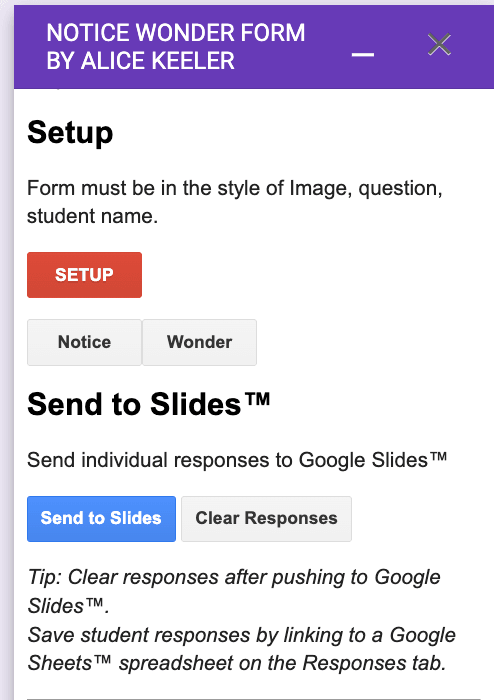
What Do You Notice?A popular activity to do in classrooms is giving the students an image or a graph and asking "What do you notice?" and then "What do you wonder?" The New York Times has a "What is going on in this picture" specifically for this type of activity. NYT also has one for "What is going on in this graph." I highly encourage you to utilize these resources and the many other resources for doing similar notice wonder. To help you do these types of activities I created an Add-on. Install Notice Wonder Form
- Download an image for students to "what do you notice" on
- Start a new Google Form
- Use the puzzle piece Add-on menu to choose "Notice Wonder"
- Select Setup from the sidebar
- This will give you a placeholder image. Replace that image with your image.
- Give Form to Students
- Choose "Send to Slides"
- A new Google Slides will be created that pushes the responses to that Slides. Review student answers with students.
- Change the Form to say "What do you wonder" ... there is a button in the sidebar that will do this for you.
- Have students fill out the same Form
- Choose "Send to Slides" to go over those answers.
Activity Stream
Thank you for being a premium member Go to alicekeelermembership.com
PASSCODE IS Holidays
Exclusive Premium ResourcesThis is not all of the resources! Many Alice Keeler Add-ons have member exclusive features.
| 